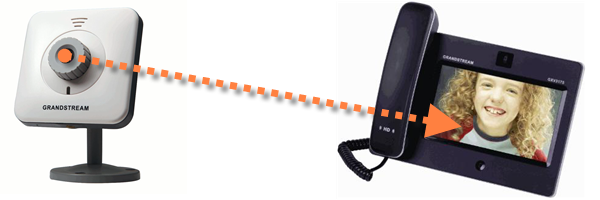
Note: This post is brought to us by Courtney Hamp, VoIP Supply’s Technical Support Specialist. Courtney has great VoIP project ideas when he’s not busy helping others, troubleshooting, or designing a communication solution. In this example he has outlined the steps to view a video surveillance feed right from a desktop Grandstream video phone. No need for an additional monitor or browser tab – just glance at your phone for a quick visual update
Grandstream brings some flair to the desk again with the Grandstream GXV3175, their 7 inch touchscreen IP Multimedia Phone. With several built-in web apps and a 1.3 megapixel camera for video conferencing, it is a great fit for the knowledge worker or executive in your organization.
However, it has some cool features that you won’t uncover easily while looking at the standard user guide.
One of these features is the ability to communicate with Grandstream’s GXV3615 IP cube camera. Once configured, you can dial into the GXV3615 from the GXV3175 and see the live video feed from the camera while holding a two-way voice conversation using the camera’s built-in mic and speaker.
This is great for monitoring that less used warehouse entrance or keeping the kids in line from a home office!
Here is how you set it up.
Call a VoIP Supply rep at 800-398-8647 if you’re interested in making this application a reality.
How To Use CloudSpan for PBX Licensing and Hosting CloudSpan is our brand-agnostic PBX licensing…
Most UC deals don't fall apart on the product. They fall apart in the gaps…
Today we're announcing the launch of CloudSpan. It's a brand-agnostic platform where VoIP Supply partners…
The Fanvil X7A is an enterprise Android IP phone built around a 7-inch color touchscreen…
Setting up a home office VoIP phone in 2026 — a step-by-step guide from the…
On the latest episode of SiP Chats, VoIP Supply's Brian Hyrek sat down with Michelle…