20 FREE SIP Softphones

This post was originally written by Garrett Smith in 2008, and edited by Ying-Hui (Evy) Chen on Oct. 30th, 2020.
I occasionally run into folks who are looking to deploy softphones versus traditional, desktop-based IP hard phones….and am often asked what softphone technologies are out there that are compatible with SIP based IP PBX platforms such as Asterisk and Trixbox. Below is list of the more popular SIP softphones, all of which are completely free to use.
#1Wengo
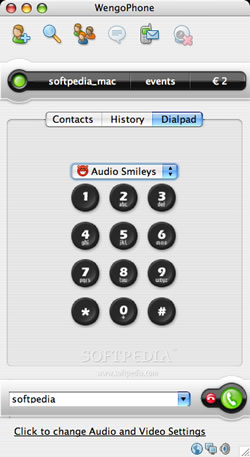
QuteCom Previously known as WengoPhone, Qutecom is a free, SIP compatible VoIP softphone initially developed by Wengo. QuteCom supports a range of VoIP codecs including G.729, G.711, iLBC, G.722 (wideband) and Speex. H.263 for video is also supported.
#2 XLite (Now Bria Solo)
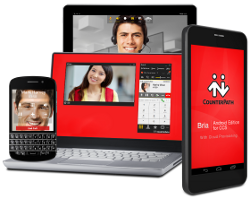
Counterpath Bria is a Unified Communications (UC) solution that helps you stay connected to phone calls and messages wherever you are.
Bria Solo is the new XLite softphone, a very popular, free SIP softphone supporting a range of codecs and also offering great support for desktop business video conferencing.
#3 3CX Softphone
The 3CX softphone is a free softphone designed to make and receive VoIP phone calls directly from your PC. It comes with an easy to use interface and cost-saving plans.
#4 ZoIPer

ZoIPer Features support for both SIP and IAX, and includes free and paid versions of their software.
#5 Grandstream WAVE
The Grandstream Wave app offers the most popular telephony features and supports up to 6 SIP accounts.
#6 Damaka

Damaka Self described “peer to peer” SIP softphone.
#7 AdoreSoftphone
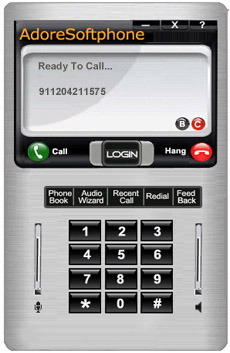
AdoreSoftphone Supports SIP RFC 3261 compliant stack.
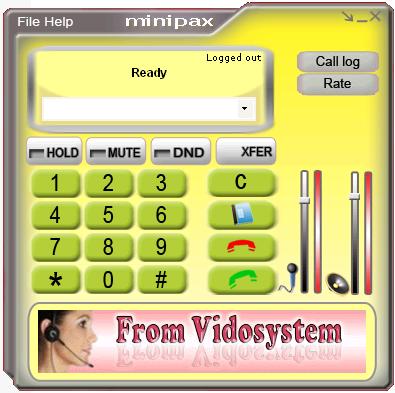
#8 MiniPAX
MiniPAX Supports g729, g723.1, speex, gsm, and g711. It is the newest generation of Vidosystem Softphone.
#9 MizuPhone
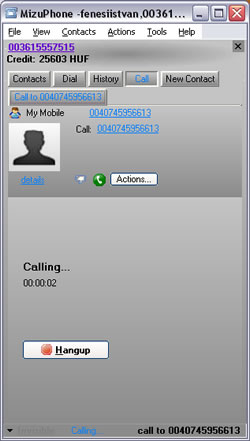
MizuPhone Has extra features like HD video, Remote Desktop over SIP and UltraWideband codec.
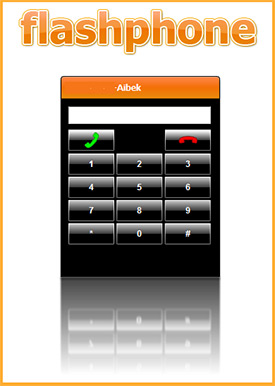
#10 FlashPhone
FlashPhone Unique Adobe Air , web based SIP softphone.

 #11 FaramPhone
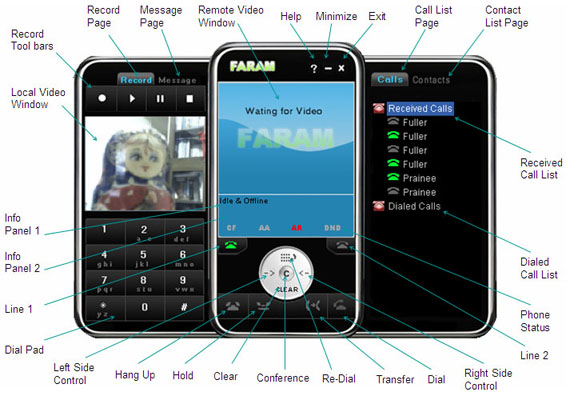
FaramPhone SIP softphone which utilizes the NGN, 3G network standards to make it be the potential communication terminal in both NGN & 3G networks. Users can use the softphone to make Audio, Audio & Video calls and conference among these networks.
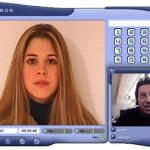 #12 Mirial Softphone
Mirial Softphone Supports SIP and HD Quality, 720P video transmission.
#13WXCommunicator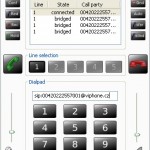
WXCommunicator SIP Windows, C++, based on sipXtapi.
#14 Twinkle
Twinkle SIP softphone for Linux users.
#15 IAXComm
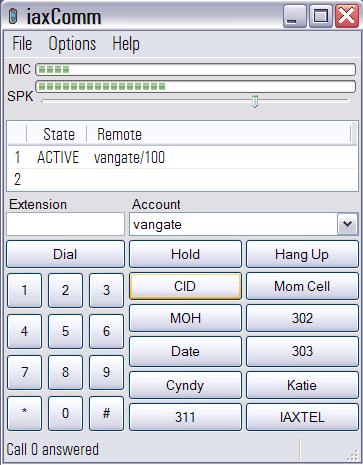
IAXComm IAX softphone for Windows, Linux & Mac OS X
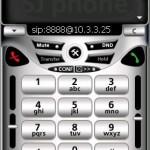 #16 SJLabs SJPhone
SJLabs SJPhone is a softphone which allows you to speak over Internet using any desktops, notebooks, PDAs, stand-alone IP phones, and even any traditional landline or mobile phones. It supports both SIP and H.323 industry open standards and is fully interoperable with most major Internet Telephony Service Providers (ITSP) and software and hardware manufacturers.
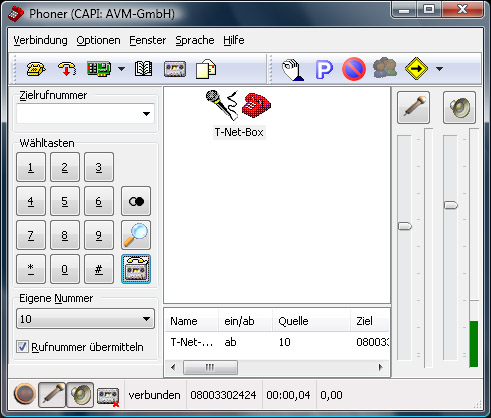
#17 Phoner
Phoner Phoner is a free but not opensource Windows SIP softphone. It also supports ISDN cards using a CAPI interface.
#18 DIAX

DIAX Another free, open source softphone supporting both SIP and IAX. This one aint pretty, but has amasses a loyal following amongst hardcore, technical types due to the wide range of tweaking and configuration options it affords.
#19 ExpressTalk

ExpressTalk Offers STUN and SIP support.
#20 T-Max Dialer
T-Max Dialer is a free SIP Softphone for companies looking for an easy software-based communication solution. T-Max Dialer is compatible with almost any SIP-based IP PBX platforms such as Blue Box, Free PBX, Asterisk, and Trixbox

66 Comments
This was posted at the perfect time. Thank you for this great post. G.722 on mac’s, windows, tigers, and bears. Oh my!
Fred were you looking for something with which to participate on Friday’s VoIP User Conference on HDVoice?
Yes sir.
Well, This article is very intersant, I have looked it…but ever i found X-Lite, SJLabs…and others i know not about any softphons wich as: WXCommunicator, Mirial Softphone, etc…I prefered the FaramPhone is very atractive im going to probe with my Central Asterisk…
Thanks for this…
Do any of these support distinctive ring features?
Another (Asterisk-compatible) GPL softphone is Kiax (kiax.org) – Not a SIP softphone, but an IAX one, runs on Windows, Linux and Mac (intel x86).
Interesting article. Thank you for sharing this information.
As softphone I always use X-Lite and Voixphone.
Some notes on G.722 capable softphones: It seems that QuteCom will work via asterisk 1.4 between softphone clients, but though the audio range sounds great, there are noticeable stutters during a wideband call.
Some softphones don’t seem to be able to make direct calls between themselves and Polycom Wideband phones. Audio spoken into the softphone will not come out the Polycom. I’ve heard it works fine in a conference bridge.
Also, don’t bother buying Bria or Eyebeam direct from counterpath if you want g722 codec. They only include it on versions sold to OEM resellers. In particular, look at the one from ZipDX, who offer wideband conferencing services.
Also, I heard there is no g722 for the Mac version of Eyebeam OEM.
One very good open source softphones are missing :
– ippi messenger based on the great SIP communicator.
http://www.ippi.fr/index.php?page=software&lang=33
Thanks for the list of softphones. My X-Lite suddenly stopped working and caused my computer to reboot every time I tried to make a call. For me, finding another free softphone is urgent as I use this as my primary home phone. I installed ExpressTalk and it seems to be working….for now.
I have an AdTran NetVanta, which is SIP compliant and I have their version of SoftPhone. Any idea which of these will work with my AdTran device?
Cory, did you ever look at my company’s http://www.mozillavoip.com ?
Best,
Luca
Can anyone recommend a WIFI SIP Phone for around $100?
Thanks
Lucas
Sorry, but where is g.729 in QuteCom?
Maybe another softphone have it free?
Sorry, but where is g.729 in QuteCom?
Maybe another softphone has it free?
Thanks for the huge list. I didn’t think there that many options.
Rick
Hi
I am the deveoper of the MizuPhone sip client listed above ( http://www.mizu-softphone.com ). I see many comments regarding g722 and just want to share my experience with that. To be short: speex is much better and supports ultra-wideband too. It has lower bandwidth requirments and it is open source (mizuphone supports g722 too, but the ultrawideband speex quality is better than skype )
You can also add Mercuro IMS Client (http://www.mercuro.net). Mercuro is an IMS client that could be used as SIP client. Is compliant with IETF/OMA/3GPP/GSMA specs. For capabilities you have: Voice, Video, chatting (MSRP, SIMPLE with both pager and session mode), XCAP contact storage, MSRP File transfer, …
@Liss: check out the qutecom wiki page which details the codec support.
http://trac.qutecom.org/wiki/SupportedCodecs
It mentions G 729 there, so I’m guessing its OK. I’ve been looking for a softphone for Linux which supports G 729 and the choices are slim.
Mirial Softphone is not free.
Have a look at PhonerLite (http://www.phonerlite.de). It supports G.722 and Speex-Wideband!
You guys can try our softphone
One more to take a look at is a JavaFX softphone for Google Talk at VoiceClearly (http://www.voiceclearly.com/googleTalkVoiceClearly.jsp).
Take a look at Telephone–very simple and lightweight softphone for Mac. http://code.google.com/p/telephone/
It might be useful to add which phones can be used as USB stick portable apps.
The only two I have located so far
Zoiper
iaxLite
Any others?
Why bother ? If you have Wireless Broadband on a stick…something like a HUAWEI E160 they come with a micro SD card slot. Putting your softphone on it makes sense you can then use it with any Notebook etc
I’ve installed the first Internet phone and credit I want to install
regards
Nice article,
Do you know if an API exists to develop plugin for some open source softphone on linux? I mean, without touching to the source code?
Thank you,
Best regards
have a customer interested in using softphones for their law office. Anyone have a recommendation of one over another?
thanks!
@Catherine
You can’t go wrong with CounterPath’s X-Lite.
OfficeSIP Messenger is one more free Instant Messenger and softphone (communicator?!)
http://www.officesip.com
One free new softphone on the Apple Store for the iPhone & iPod Touch2 : http://itunes.apple.com/WebObjects/MZStore.woa/wa/viewSoftware?id=320521498&mt=8
Please help me on the best video sip phone available in the market. I am quiet confused about the best video soft phone for free among the lot given here? i am using a portaone Voip solutions to configure the sip traffic. please help..!!
Ippi, mentioned by Kevin on 2009-08-12 may be free, but it only works with Ippi service. 🙁
Is there a SIP phone that supports AMR-WB[G722.2] codec? The Wengphone rebranded as Dooxsoft claims that it support AMR-WB and the trial version doesn’t.
Thanks in advance.
can someone help me find a way to use sip with google voice?
You can also try our free version of CCI-Phone. This is a SIP softphone that supports in commercial mode g729,g722,g711U/A
If you want to try let me know.
Do any of these soft phones support call transfer (attended transfer or blind transfer) ?
Haven’t been able to find one that does.
What about Blink (http://icanblink.com/)?
How can I find out which of these phones support multiple SIP account registration? I want the phone to register simultaneously with 2 independent SIP accounts.
Thanks for your help
I think the open source ‘SIP Communicator’ is missing:
http://sip-communicator.org/
I like them.
Hi I’m a developer at
http://www.voipemulator.com/
Just wanted to thank you for these nice collection of softphones.
Do you have any free applications for H.248 (MEGACO) ?
Thanks!
Well one of the things that is hard is I am totally blind as in can’t see and I know a lot of these phones are really difficult to use for blind peoploe.
Is there any sip phone which has proxy settings in connection and username and password for proxy authentication same like in Gtalk connection section.
I am using xlite and in office i connect to internet by proxy server
Is there a soft-phone that allows free 3 way calling ?
Are any of these softphones compatible with Google Voice?
Jeff,
You can use Express Talk as listed above with some configuration.
“You don’t configure the Express Talk softphone for Google Voice, you configure for a SIP service like Sipgate or Gizmo.
For sipgate (sipgate.com) or gizmo (gizmo5.com), you will need to sign up first. You will then need your server or sip proxy address. You will also need your SIP number and password.
You will then pull down the File window in Express Talk and choose Options. In Options, you will click on the tab called Lines. There you will input your Name, Server/SIP proxy, SIP number and password. After you are done, click OK and the Express Talk should work.
For Sipgate, you will find that Server/SIP proxy is sipgate.com / Gizmo is proxy01.sipphone.com
For Sipgate, the SIP number is something like this (each person is different): 9495541e0 Gizmo is something like this: 17474634XXX
For Sipgate’s password, you will have to use theirs. You can find this in your settings, when you click on Phone of…, it will have a pull down menu and you choose SIP credentials. For Gizmo, I believe the password is the one you chose with the account.”
Can someone tell me, if any of this softphones support auto-answer? Zoiper does, but only in Biz (non-free) edition.
DIAX supports auto-answer, but it works with IAX only, not SIP (so, there is an error in its description on this page)
Any free option for web-phone? (clic-to-call buttons at least)?
Thanks!
MicroSIP: lightweight SIP softphone based on PJSIP stack for Windows OS written in C++. SIMPLE IM and Presense. Download here http://microsip.org.ua/downloads
Hi guys. i have been looking for a solution were i can automatically configure the account information on the soft phones based on the person that is logging on to the windows domain. I have a trixbox pbx and a windows domain with now zoiper and x-lite installed on the windows clients. i really would appreciate comment on if this is possible or not.
Need a soft phone which sends Record Route Header..
I need a free softphone which supports G.729.
thanks !
hi,
popular messenger Nimbuzz also has a VOIP features, so you can add SIP account and call easily. Check at http://www.nimbuzz.com
“QuteCom supports a range of VoIP codecs including G.729, G.711, iLBC, G.722 (wideband) and Speex. H.263 for video is also supported.”
This peace of crap does not support g729 codec or this codec might be stealth so I can not see it in configuration which I doubt as I tried to call with server which support g729 and get error.
New SoftPhone for Call Center, goto: http:\www.aplitel.com
sflphone is quite feature rich and cross platform. I use sflphone and linphone for my linux platform.
is there one with g729
Yes,
New SoftPhone for Call Center, goto: http:\www.aplitel.com
but is in Beta right now
@ http://www.aplitel.com
Seems to be a nice tool and I guess I will like the UI because it Looks like a real phone.
But it’s not working on Windows8.
I got an error when I choose custom install and after the Setup it crashed with an application error.
Hope you will fix this!
Hi
Can anyone please advise if any of these softphones allows to change output ‘cli’ or sometimes reffered to as ‘output CID’
I saw another comment about multiple sip accounts, has anybody got any idea which clients support this? I understand the 3CX Windows client supports this but unfortunately stopped working when I upgraded my laptop to windows 8…
Is there a softphone out there that supports ALL the functionality of the Ring Central voip service and Plantronics Voyager Legend-UC Bluetooth (B-235) headset (free or otherwise)? I am using the Ring Central (free) call controller and the Bria 3 softphones and neither seem to support ALL the functions?
I used Linphone quite a while, it was stable, lightweight, but i was a bit frustrated with the UI and the contacts list, now I am looking for sth better. Thanx for your list so 🙂
You’re welcome! If you need any other information, just let us know!
Thank you,
Evy