VoIPSupply Labs: 4 Uses for the New Cisco SPA8800 Gateway
There are bunch of interesting applications for the new Cisco SPA8800 4FXS + 4FXO SIP gateway. Having both RJ11 FXS and FXO ports makes the Cisco SPA8800 a pretty versatile piece of equipment at a very attractive price point.
Let’s take a look at a few deployment scenarios for the Cisco SPA8800.
Using the Cisco SPA8800 with an Asterisk-based IP PBX to bring in 4 POTS/PSTN Lines as Trunks
Since the Cisco SPA8800 has 4 FXO parts, you can place the gateway on the same LAN as your Asterisk IP PBX or even integrate it remotely (as long as the IP PBX can “talk” to it) and bring in 4 POTS/PSTN Landline DID’s to be used as trunks for your Asterisk PBX. This is useful for organizations that have multiple small remote office sites having 1-4 landline connections and 1-4 telephones. (I will get to the telephone setup in my second scenario). Simply place a Cisco SPA8800 gateway at each of these sites and you can extend your Asterisk IP PBX the usage of all these landlines at the remote sites. When a user registered to the Asterisk IP PBX needs to make a call to a local number, and the remote site is local to that number, cost based routing can be setup where the MAIN office can make a call to DID’s which are local to Cisco SPA8800 remote gateways. Instead of the calls leaving the Asterisk IP PBX at the MAIN site (which is NOT local), calls travel over VOIP to the Cisco SPA8800 and then out their respective FXO ports to local numbers in that area code. Pretty neat and really cost effective.
Using the Cisco SPA8800 with an Asterisk IP PBX to register 4 analog telephones as SIP extensions
Take the scenario above, and add 4 analog telephones to each of those remote sites. For a better visual of this, I will use Garrett and myself as an example. Garrett works at the MAIN site location where he is registered to the Asterisk IP PBX via his IP Phone. I am located at one of the remote sites with (if you ask me) an ancient looking analog telephone. My phone is connected to one of the 4 FXS ports on the Cisco SPA-8800 and is also registered to the MAIN IP PBX. Garrett’s extension is 1001 and mine is 2001. Keep in mind, with the Cisco SPA8800’s FXS ports, each of the 4 FXS ports can be independently registered to an IP PBX SIP extension. When I pick up my telephone, I no longer need to dial Garrett’s local DID (716-250-1001 which goes over the PSTN), I can just call his SIP extension at 1001, and the call bypasses the PSTN and travels VoIP basis from my phone to the MAIN IP PBX, then to Garrett’s phone. Inter-office calls between multiple locations at NO cost!!! Pretty neat huh Garrett?
Using the Cisco SPA8800 to Land SIP Trunks to an analog or Legacy based PBX (All you Nortel and Avaya Guys, take a look at this!)
Let’s completely shift gears on the IP PBX setup as not everyone out there has these systems and most may be still married to their Nortel, Avaya, or other legacy PBX. Let me ask you a question… on top of all the maintenance, support, and contract fees, how much are your POTS/PSTN Landline bills adding up to each month. I am going to go out on a limb and say “A Lot!”. Wouldn’t it be nice to eliminate some of this overhead cost? Well now you can with the Cisco SPA8800 and a SIP Trunking provider. If you don’t know what SIP trunking is, take a moment and read this expert post. The Cisco SPA8800 has the ability to terminate up to 4 SIP trunk DID’s. From here you would connect the FXS ports from the Cisco SPA8800 to the FXO Ports on the legacy PBX. Instead of receiving dial-tone from the local PSTN provider and paying boatloads of cash for each line (and of course long distance fees), you will be receiving dial-tone through the Cisco SPA8800 which is REGISTERED to your SIP trunking provider over your internet connection. Oh yeah… forgot to mention, SIP Trunk providers usually offer significantly LD/DID fees than those of traditional PSTN providers. Some SIP Trunking providers can port the DID numbers you already have as well. This adds up to more cost savings, even on those older NON-IP Based systems.
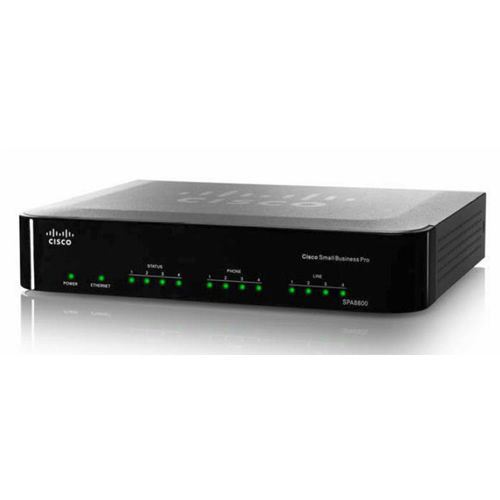 Lastly, a Cisco SPA8800 based solution with NO PBX involved (you small business owners with a few small offices, pay attention to this setup)
This solution hinges off of the well documented Linksys SPA3102 “back to back setup”. If you are not familiar with configuring SIP gateways point-to-point, feel free to email me cheinrich (at) voipsupply (dot) com for this documentation. Using the Linksys SPA3102, although very nice and a way to save money, it only works on a 1:1 ratio meaning 1 analog line extended remotely to 1 analog telephone. Take that same setup but add the functionality of 4:4 since the Cisco SPA8800 supports 4 analog lines and 4 analog phones. For an example this time, I will use Cory and Brett. Cory lives in, hmmmm…. Alaska…. and Brett, well he has set up shop in The Amazon. (Don’t ask how he has landlines there, just pretend he does). Brett and Cory are good friends and are constantly calling each other and other parties in each other’s respective local area codes. Now insert a broadband connection and a Cisco SPA8800 at each of their locations. Following the setup documentation for point-to-point, Cory and Brett now can make (what was traditionally a very costly phone call over the PSTN provider) virtually free calls to each other and others within their respective local area codes, with NO PBX involved, all over the Internet and VOIP. Do any of you out there have a similar scenario?

7 Comments
do these fxs work when connecting to a PBX. those ATAs have hang up issues.
There is another scenario. Perhaps you have an Asterisk setup, but you need multiple analog fax machines, as well as fallback for your E1/T1 line. The FXS and FXO lines can provide these without having to put extra cards in your Asterisk box. No cards in your Asterisk box means that you can failover/recover faster.
Well i think through this we can rout mobile cal to fixed landlines, I mean calls which are coming to your 0800 Number or 0845 Numbers or 0844 Number can be routed to your fixed landline, UK mobile or international mobile or landline numbers by way of Simple Translation. This feature can provide you with lot of flexible options of carrying out business.
Features like Call Hunt Groups, Mobile Routing, International Routing, Voicemail box setting can change anytime instantly by simple translations. Since inbound calls are handled by many people spread across the country or world, there would be many times when some people or hunt groups will not be available for taking calls. Or when you are out of office and still want to attend calls you may connect your business number to your mobile number. There may be situations when you would need to hire extra staff to take calls that are overflowing. You can change destination numbers instantly, unavailable numbers will stop ringing and new destinations will get calls immediately.
When you go for a holiday but still want to be connected to your important customers, you can select few important numbers of your VIP customers or key business associates and route these numbers to your mobile. Rest of the public numbers can be point to voice mail box for customers to leave voice mails.
These simple translations provide great flexibility in handling calls that can well suit to any situation.
hi chris.i have a fewer experience whit this gateways but y need work with two spa 8800
how to correct configure to connect a analog panasonic pbx to spa and in other spa receive that ext?
thanks
hi Chris. i must be configure a spa8800 how at example SPA3102 “back to back de configuración”but did not work what to do?
thanks
Hey Chris – would appreciate your thoughts: we’re a 10 person team moving from service offices to our own leased office. We’re putting in 2 analogue lines to carry broadband. I want to use those 2 lines also for outbound calls to uk mobiles to take advantage of the capped call rates. I’m considering using the virtual pbx solution from a voip provider for extensions and landline numbers / calls. Where I’m unsure is: do I need the UC 320W to create a local ip pbx in order to access those lines from our IP phones- or can I use just the SPA8800 and the virtual pbx solution? Want to keep as much tech off site as possible + low up front costs.
Hi,
Question for you about scenario number 2 you mentioned. If the WAN link between you and Garret goes down, can you still make calls from the remote site (to other extensions in the remote site and to outside numbers over the PSTN)? Or if the SPA 8800 loses connection to the IP PBX in the central site are you stuck without telephone service until the link between the two sites comes back up?
Thanks!