How to Activate 3CX Phone System
Our tech support team at VoIP Supply offers great pre- and post-sales support plus provisioning, consultations, configuration, and installation help.
We get a lot of VoIP hardware and software questions and would like to share the solutions with everyone. Here is new real question and answer from VoIP users like you.
HOW TO ACTIVATE 3CX PHONE SYSTEM
Q: I tried to activate my 3CX Phone System Standard- 4SC and it gives me an unexpected error: LIC_ERR_FAILED_CERTIFICATE_CHECK. My 3CX version is: 12.5.39117.982 What should I do?
 A: You will need to install a service pack for the license. Please follow these instructions in regards to that error. (The following content is from 3CX website.)
- V10 users and below- Please upgrade to V11 for free. Your license key has been automatically upgraded to activate on V11. Version 11 can be download here. Perform a backup for your current system, uninstall 3CX Phone System and install Version 11. Use the restore option within the installation wizard to import your user data. Note: 3CX Phone System 11 is End Of Life and is not entitled to support.
- V11 users- Please download the latest Service Pack from the 3CX Management Console. SP 4B, Build 30296. Once updated to this version you can re-activate your license key.
- V12 & 12.5 users- Please send an e-mail including your 3CX License key to upgrade@3cx.com. You will receive a reply within minutes with instructions on how to upgrade to the latest Service Pack.
3CX Phone System 4 Simultaneous Calls:
A complete 3CX Phone System for Windows® consists of the server software, soft phones or SIP hardware phones, and a VoIP Gateway to connect your existing phone lines. The web-based interface makes 3CX Phone System configuration and management a breeze. No need to learn an obscure, archaic phone system interface or pay for the phone system supplier to make configuration changes. You can monitor phone system status, including which extensions and PSTN lines are busy, and more, from a web browser. Learn more here.
STAY TUNED
Come back for more VoIP questions and answers next time! If you have VoIP questions to ask us, please submit a technical support ticket or contact our VoIP experts today at (866) 582-8591
 We will post a Mom’s Calling VoIP Q&A blog every two weeks. In this series, we will be covering questions about VoIP devices and services we have received from real customers like you.
 BUFFALO, N.Y. February 29, 2016— VoIP Supply is proud to announce that they have been recertified as a





 Have a plan of action for the business expo before getting there. Planning ahead what your day(s) will look like will help you be the most productive. Brainstorm questions such as: Why are we as a company attending the event? Whom do I plan to speak to? What is the overall goal for attending the event? And, how am I going to meet that goal? These questions can help guide you in the right direction, however, be flexible! Don’t be afraid to switch beats if a good opportunity arises.
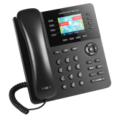 This design also provides four XML programmable context-sensitive soft keys and gives the user has the flexibility to program up to 32 digital, on screen speed dial keys for a more proficient, organized, business-like telephony experience.