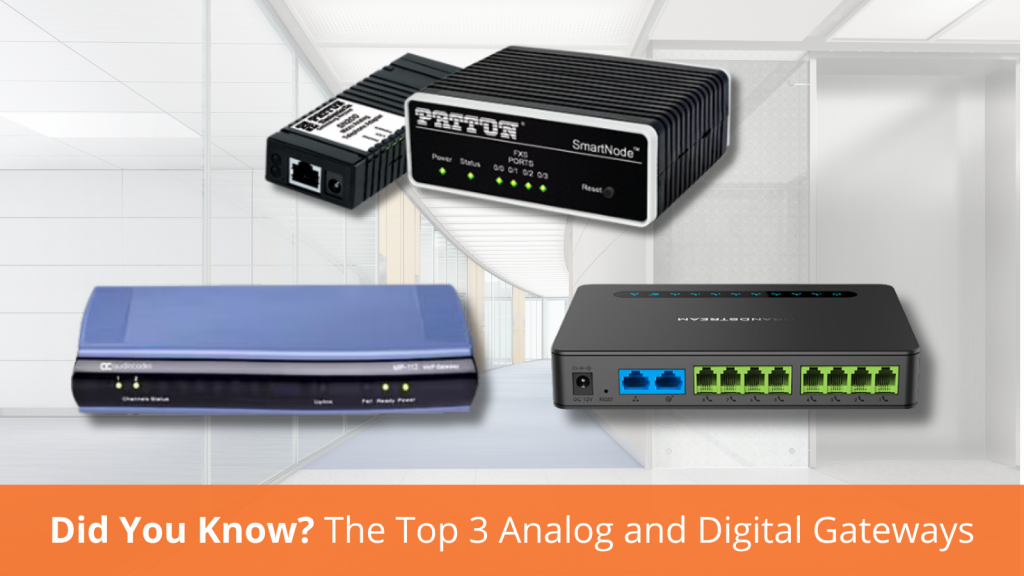
Did You Know: A Few of the Top 3 Analog and Digital Gateways
November 9, 2023 by rjohnson

Firstly, let’s simplify the difference between an analog gateway and a digital gateway. At their core, the purpose of analog and digital gateways is to connect different communication networks. However, the key distinction lies in the type of signals they handle.

Analog gateways handle analog signals, often used in traditional telephony systems such as analog phones, fax machines, and modems, which all generate analog signals.

Digital gateways handle digital signals. Digital signals are in technologies such as VoIP and digital phone systems. Devices like computers, smartphones, and IP phones generate digital signals.

You will know which gateway you need based on the specific requirements of the communication infrastructure and the types of devices that need to be integrated into the network.

Here at VoIP Supply, we have a plethora of gateways to choose from. Here are a few of the top three analog and digital gateways that you can find right now at www.voipsupply.com!

Top 3 Analog Gateways:

  1. Patton SmartNode SN200 Gateway (SN200/1JS1V/EUI)

This reliable analog gateway is equipped with advanced features to ensure smooth communication. Its user-friendly interface and efficient signal processing, with built-in diagnostic tools, make it a top choice.

2. Grandstream HT818 8-port VoIP Gateway

This gateway is next level with its 8-port design, making it perfect for businesses with multiple analog devices. This gateway boasts high-quality voice and audio, ensuring crystal-clear communication. The HT818’s compact size and easy setup is widely appreciated.

3. AudioCodes MediaPack 112 Analog VoIP Gateway, 2 FXS, SIP Package

Offering two FXS ports, expect easy integration of analog devices into IP-based communication systems. AudioCodes MediaPack Gateways are a premium choice for commercial VoIP deployment and are often deployed in rural areas.

Top 3 Digital Gateways:

  1. Patton SmartNode 4171 (SN4171/1E15VHP/EUI) 

We’ve got a digital powerhouse of a gateway here, featuring high-density digital voice and data connectivity. Its versatility and innovation make this perfect for small and medium-sized enterprises looking for a cost-effective solution.

2. Grandstream GXW4501 Digital VoIP Gateway

This is a powerful digital VoIP gateway, offering a bridge between traditional telephony systems and modern IP networks. With its high-density ports and advanced features, the GXW4501 is designed to meet the needs of medium and large-sized businesses.

3. AudioCodes Mediant 500 E-SBC

As a leading digital gateway, the AudioCodes Mediant 500 E-SBC excels in providing session border control for secure and efficient communication. Offering smooth data and voice transmission, this gateway is a trusted solution for businesses, connecting up to 250 sessions.

Feel free to contact the VoIP Supply Experts with any questions! Call us at 1-800-398-8647, or visit us at www.voipsupply.com and send us a chat. Leave a comment below if you found this blog post helpful!

How To: Choosing the Right Made in the USA VoIP Products For You & Your Business

Our day-to-day lives are inundated with decisions, with an almost unlimited amount of options. It can be extremely difficult to narrow down all of those options, especially when it comes to your business. The VoIP industry is changing at an incredibly fast pace with new products and solutions hitting the market every day. If you are looking for a way to narrow down your options of VoIP-related products, you may want to start with products made in the USA. Opting for products made in the USA not only supports local industries and businesses but also, a majority of the time, ensures high-quality craftsmanship and ethical manufacturing practices. 

One such brand that stands out is Tone Commander, a Patton Communications Company. Tone Commander is an experienced manufacturer and designer of highly secure, military-grade VoIP and TSG-6 endpoints for the DoD branches and Civilian Government Agencies. Tone Commander has deployed over 100,000 phones in Federal Government, military, and civilian facilities worldwide. They are the ONLY company to offer non-proprietary Assured Service SIP end instruments, with the Department of Defense JITC Unified Capabilities certification. These endpoints interoperate with most relevant Session Border Controllers. Tone Commander products have also been compliance tested and approved by the National Telecommunications Security Working Group. 

Tone Commander’s product-lines include the 7800 Series of IP Phones and the 4100 Series of IP Phones. These phones are made in the USA, Military-Grade, and packed with all of the features and functionalities you could ask for from a VoIP Phone. 

*With the exception of the 4101 Model which is TAA compliant but NOT made in the USA*
If you have any questions or comments regarding Made in the USA Products or Tone Commander, as always please leave a comment below, give us a call at 1-800-398-8647, or chat with one of our VoIP experts at www.voipsupply.com.

SIP Chats: Dan Marchetto of CyberData Returns

November 8, 2023 by Steve Lopian

Join us as we welcome back our friend Dan Marchetto of CyberData! In this latest episode of SIP Chats, Dan will discuss the new groundbreaking technology that has emerged from CyberData Headquarters and more! The new CyberData SIP Paging 25V/70V Amplifier 011579 is not only exclusive to CyberData, but it is also a total game-changer for ease of setup, cost savings and so much more!

So tune in and learn all about this new technology and how it can fit into sectors like Hospitality, Education, government, and so much more! Not only does Dan cover the specifics of this new product, but he also has one on hand to show you so you have an exact idea of the look and feel if the new device.

Are you considering utilizing this new technology from CyberData? Let us know in the comments below!

Algo: What’s New & What’s Next Webinar Featuring Microsoft Teams Compatibility

October 31, 2023 by Steve Lopian

What to know what’s new and exciting at Algo? Well, you’ve come to the right place! Our recording from our What’s New & What’s Next webinar is out now and you won’t want to miss it! During the webinar, we’ll discuss brand-new products and features that have recently been released from Algo, as well as, what’s in their pipeline for the future!

Most notably, we’ll discuss the big news of Algo devices officially being compatible with Microsoft Teams! So tune in and stay up-to-date on all things Algo!

Do you currently use Algo devices? We want to know what you think! Leave a comment below and let us know.

Watch Now: 2023 October VoIP News Update

October 30, 2023 by Steve Lopian

Your October VoIP News Update is here! This month, we’ll cover all of the brand-new product releases we saw, including the new HP Poly ATA 400 Series and new phones from Yealink!

Watch now, as we cover details on the Poly ATA 400 and Poly ATA 402! These new ATAs are compact but pack a punch of features and capabilities.

Additionally, we’ll cover 3 new phone releases from Yealink! The T34W, T44W, and T44U are the latest additions to a long line of quality phones from Yealink. Tune in and get the features and differences between all of these new models.

Are you using any of these new phones or ATAs? Leave a comment below and let us know what you think!

Fanvil A10W & Y501W-Y Healthcare Intercoms Product Feature Video

October 26, 2023 by Steve Lopian

Introducing the brand-new healthcare intercoms from Fanvil! This video will feature the A10W and the Y501W-Y intercoms, and believe me, they didn’t disappoint! Depending on your needs, Fanvil has come up with a version for you! These intercoms are ideal for hospitals, clinics, nursing homes, and more.

Having hands-free communication within the healthcare sector has become so important these days, and we were very pleased with the solutions that Fanvil has brought to the table. Watch this product feature video and see for yourself!

Are you currently using Fanvil intercoms? Or plan on trying these out for your next project? Drop us a comment below and let us know!

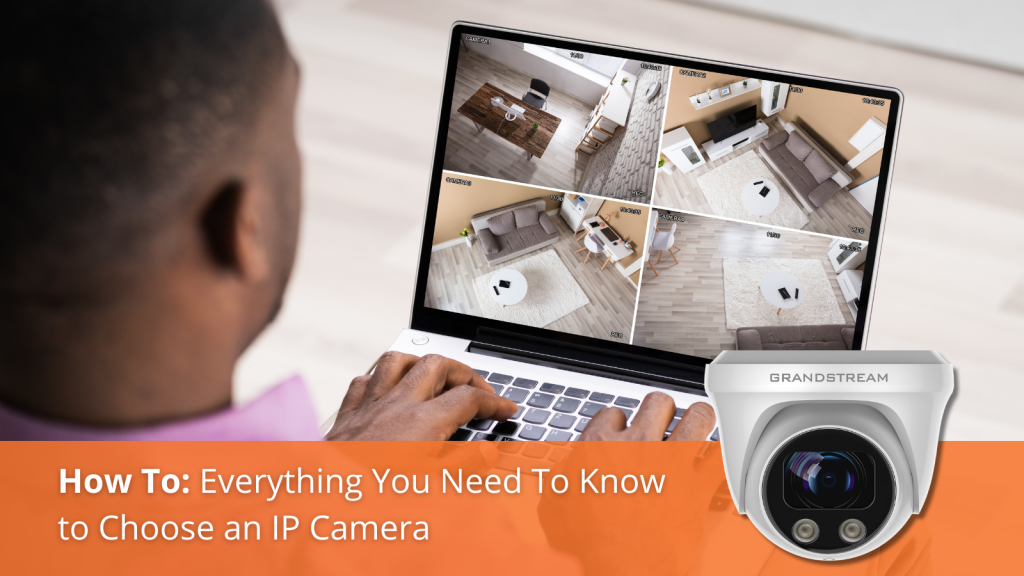
How To: Everything You Need to Know to Choose the Right IP Camera

IP cameras have become a crucial tool for security, surveillance, and peace of mind. But with the multitude of options available, choosing the right IP camera can be overwhelming. That’s where VoIP Supply comes in. In this blog post, we will walk you through what you need to know to make the best decision and find the perfect IP camera for your specific needs. 

An IP camera, also known as an Internet Protocol camera or network camera, is a type of digital video camera that is used for surveillance and security purposes. Unlike traditional analog cameras, IP cameras use the Internet Protocol to transmit video and data over a network

When considering which IP camera will work best for you, it is important to consider the characteristics and capabilities. Below are some of the key characteristics of IP cameras. 

IP cameras capture video in a digital format, allowing for high-quality footage with higher resolution compared to analog cameras. This will be important when needing clearer images or recordings. 

IP cameras connect to a network via Ethernet cables or Wi-Fi, enabling remote access to live and recorded video from various devices like computers, smartphones, or tablets. It is important to have a stable and robust network in order to ensure little to no interruption or data corruption. 

Each IP camera has a unique IP address that helps identify and access it on the network. This address is essential for remote viewing and management.

IP cameras can be powered through traditional electrical outlets or via Power over Ethernet (PoE), where both power and data are supplied through a single Ethernet cable.

IP cameras come in various form factors, including dome, bullet, PTZ (Pan-Tilt-Zoom), and specialty designs to suit different surveillance needs. This is important to consider when thinking about camera placement and coverage. 

Many IP cameras offer features such as motion detection, night vision, two-way audio, and integration with network video recorders (NVRs) or video management software (VMS). If you are looking for advanced security and/or communication with IP cameras, these might be the ones for you. 

Users can access their IP camera’s live feed and recorded footage from anywhere with an internet connection. This allows for real-time surveillance and playback of events.

IP cameras can store video footage locally on an SD card or network-attached storage (NAS) device, or in the cloud for remote access and backup.

Is your head spinning from all of the information and options? Don’t worry, VoIP Supply Experts are here to help! Please feel free to leave a comment or question below, give us a call at 1-800-398-8647, or visit us at www.voipsupply.com to chat with an expert today! 

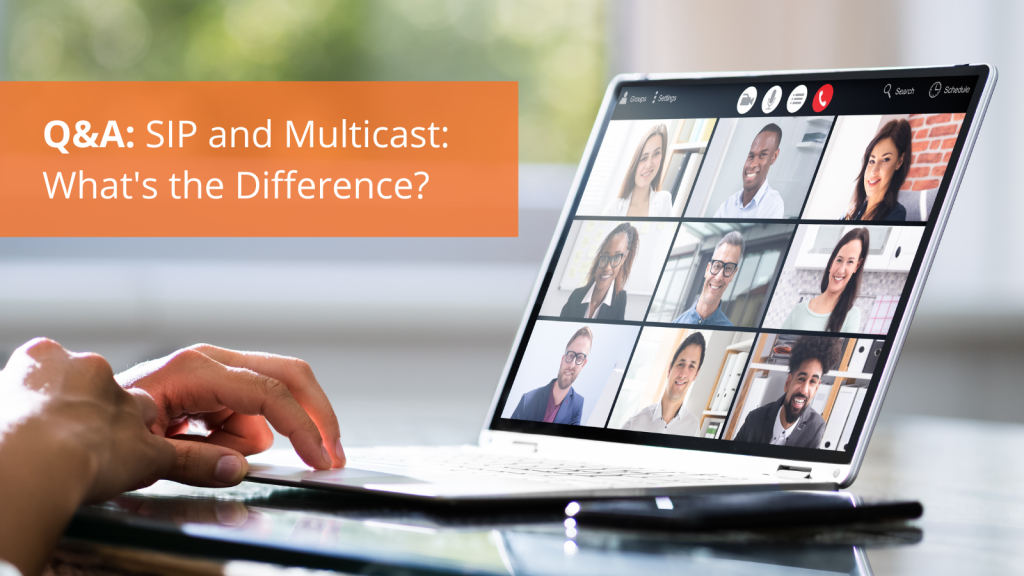
Q&A: SIP and Multicast: What’s the Difference?

October 25, 2023 by rjohnson

You are probably familiar with SIP (Session Initiation Protocol) and Multicast. But do you know the main differences in purpose and characteristics between these two common technologies? To ensure you make the most informed decision possible when implementing your communication systems, you can rely on VoIP Supply to provide you with a simple blog post breaking these protocols down:

1. Purpose:

  • SIP: Designed for one-on-one or small group interactive communication, like VoIP and video conferencing.
  • Multicast: Ideal for one-to-many or many-to-many communication, broadcasting content to multiple recipients.

2. Scalability:

  • SIP: Works well for small and large-scale applications but is better suited for smaller interactions.
  • Multicast: Efficiently serving a large number of recipients, reducing network congestion.

3. Network Traffic:

  • SIP: Generates separate streams of data for each communication session, potentially increasing network congestion.
  • Multicast: Minimizes network traffic by delivering data to a group of interested recipients, optimizing network utilization.

4. Applications:

  • SIP: Commonly used for real-time, interactive communication like voice calls, video conferencing, and messaging.
  • Multicast: Ideal for content distribution, and live video streaming, typically where one source reaches many recipients simultaneously.

5. Complexity:

  • SIP: Relatively straightforward call setup and management.
  • Multicast: Can be more complex to configure, requiring careful network design in a large-scale setting.

Please feel free to reach out to the Experts at VoIP Supply to further discuss your business needs. Give us a call at 1-800-398-8647 or visit us at www.voipsupply.com.

Snom Americas Announces Alliance with Phonism for a Seamless Zoom Phone Experience

October 18, 2023 by rjohnson

We here at VoIP Supply know how essential communication and collaboration tools are for businesses to thrive. With its impressive range of features, Zoom Phone has become a go-to platform. We are excited to share that now, thanks to the strategic alliance between Snom Americas and Phonism, using Zoom Phone has become even more convenient and hassle-free.

Snom Americas, a well-known provider of VoIP and SIP-based phones, has joined forces with Phonism, a leading platform for managing and deploying VoIP devices. Together, they are making waves in the industry by enhancing the user experience with Zoom Phone-certified Snom devices.

With this collaboration, users can now enjoy all Zoom-certified Snom devices ASAP, without the hassle of configuration. Snom devices will come pre-configured, so you don’t have to worry about spending time configuring devices on your end and possibly causing configuration errors affecting other endpoints. Zero-touch provisioning means you can take your device out of the box, plug it in, and start using it right away, without the need for complex setup processes.

The streamlined setup process ensures that you can be more productive from the moment you unbox your Snom device. No need to fumble with settings or call IT support for assistance.

To top it off, this Phonism integration comes with enhanced security features, network + SIP management tools, and remote command + control.

Whether you’re working from home, in the office, or on the go, you can count on Snom and Phonism to keep you connected seamlessly. Are you excited to see this partnership? Tell us your thoughts in the comments. If you have any questions, as always, please reach out to the VoIP Supply Experts at 1-800-398-8647 or visit us at www.voipsupply.com and send us a Chat

Did You Know: What Are Your Network Switch Options & How Do You Choose the Best One?

In today’s digital age, a reliable and high-performing network is the backbone of any organization. Whether you’re a small business, a large enterprise, or even a homeowner, the choice of network switch is crucial to ensure seamless connectivity. But with a multitude of options available, making the right decision can be daunting.

In this blog post, we will dive deep into the world of network switches, exploring the different types, features, and factors to consider when choosing the best one for your specific needs. By the end, you’ll be equipped with the knowledge to make an informed decision that maximizes your network’s efficiency and reliability.

What is a Network Switch? 

A network switch is a networking device used to connect multiple devices within a local area network (LAN). It operates at the data link layer (Layer 2) of the OSI model and is designed to efficiently forward data packets between devices on the same network. Network switches use the physical (MAC) addresses of devices to determine how to forward data to the appropriate destination.

What are the Options? 

We’ll introduce you to the various network switch types available in the market. From unmanaged switches that are simple to set up but offer limited control, to managed switches that provide advanced configurations, we’ll break down the options, their features, and use cases.

Unmanaged Switches: These are plug-and-play devices ideal for small networks, but they lack advanced control and monitoring capabilities.

Managed Switches: Offering greater flexibility, managed switches are perfect for businesses with complex networking needs, allowing for customization and performance optimization.

Layer 2 & Layer 3 Switches: Layer 2 (L2) and Layer 3 (L3) network switches differ in the way they handle data and the extent of their functionality within a network. The primary difference between Layer 2 and Layer 3 network switches is their capability to process and route traffic at different OSI model layers.

Factors to Consider When Choosing the Best Network Switch For You:

Selecting the right network switch involves assessing your specific requirements and understanding key factors such as:

Port Count: How many devices need to be connected to the switch? This will help you choose a switch with an appropriate number of ports. Consider future growth when making your decision. 

Speed & Bandwidth: Delve into the importance of speed (e.g., Gigabit or 10 Gigabit) and bandwidth for handling data traffic effectively. Higher speeds are essential for data-intensive tasks and large networks. Bandwidth refers to the total capacity of the switch and should match the demands of your network.

PoE (Power over Ethernet): Learn about the advantages of PoE switches, which can power devices like IP cameras and phones over the Ethernet cable, , simplifying installation and reducing the need for separate power sources. Consider whether your devices require PoE support.

Quality of Service (QOS): Explore how QoS settings can ensure critical data traffic receives priority for a smoother network experience. QoS settings allow you to prioritize certain types of network traffic over others. This is crucial for ensuring that critical data (e.g., voice or video calls) receives priority. QoS is especially important for VoIP and video conferencing.

Reliability & Redundancy: Discover how redundancy features can keep your network running even in the face of hardware failures. Redundancy features, such as link aggregation or failover, can enhance network reliability. They ensure that the network keeps running even if there are hardware failures or network interruptions. Assess your need for redundancy based on the criticality of your network.

Scalability: Scalability is essential for future-proofing your network. Choose a switch that can accommodate future growth. Look for features that allow you to add more devices or expand your network without significant disruptions.

By considering these factors, you’ll be better equipped to select a network switch that aligns with your specific requirements and provides a solid foundation for your network infrastructure. Keep in mind that your network’s performance, security, and scalability depend on making the right switch choices. If you have any additional questions or comments, please feel free to leave a comment below, give us a call at 1-800-398-8647, or visit our website at www.voipsupply.com

  • Featured Posts

  • Popular Posts

  • Read Our Feed

  • Latest

  • VoIP Post Categories

  • Archives