Spinning up a PBX instance in the cloud is especially important at this difficult time! We teamed up with SYSTM and Sangoma to give you a live demo on how to launch Sangoma’s PBXact in the cloud using SYSTM’s simple VoIP infrastructure. The process is very straightforward:
Do you have part-time workers? Or do you have employees on a rotating basis? Hot desking might be the right feature for you!
What is Hot Desking?
Hot desking is a term that describes an office arrangement of allocating desks to workers when they are on a rotating system. When on different shifts, these employees will share the same desk and equipment with others rather than having their own dedicated workspace.
VoIP Phones with Hot Desking Features
The biggest advantage of hot desking is cost reduction through space sharing. Many VoIP phones now come with hot desking features. With the right configuration, your employees will be able to log in to their deskphone system when they are on their shifts and simply log out when they finish the day to protect their personal information.
What VoIP phones have hot desking features?
Here are some popular phone options with hot desking features:
Our tech support team at VoIP Supply offers great pre- and post-sales support plus provisioning, consultations, configuration, and installation help. We get a lot of VoIP hardware and software questions and would like to share the solutions with everyone.
Q: We have an old digital NEC IP PBX. We are trying to find a way to allow remote users to use IP phones to connect to our phone system as analog extensions. Can I connect an IP phone to an Analog PBX through an FXO gateway? Is there a device that allows IP phones to connect to it, and then hand them off to the phone system as an analog extension?
A: Unfortunately, no. You will need SIP Service to run voice over IP and SIP Service is provided from a provider, not a device. An FXO gateway is for IP Service coming into an analog device. an FXS gateway is for an IP PBX to connect to an Analog endpoint.
STAY TUNED
Come back for more VoIP questions and answers next time! If you have VoIP questions to ask us, please submit a technical support ticket or contact our VoIP experts today at (866) 582-8591
For those who are wearing hearing aids, searching for the right headset that will fit nicely can be a pain. Luckily, with JPL headsets, you don’t have to sacrifice comfort for quality!
JPL’s two HAC headsets are designed specifically for people who wear hearing aids or cochlear implants that have a hearing loop setting. They are compatible with most hearing aids on the market. Check out the top reasons why JPL headsets are the best headsets for the hearing impaired:
JPL’s HAC headsets come with an adjustable headband and soft ear cushions. You don’t need to cradle a phone while working on other tasks – Great for multi-taskers like you! Binaural and Monaural options are available:
These headsets have a weighted filter, for clearer Surround Shield™ noise cancellation. They are ideal for a busy office or call center with large call volumes. The quick disconnect design comes in handy when you need to move away from your desk without removing the headsets. This will automatically put your caller on hold until you come back!
3-Year Warranty
The best part is yet to come – These headsets are protected with a 3-year repair or replacement warranty!
If you’d like to learn more about these headsets, visit our product pages or give one of our VoIP consultants a call today at 1-800-398-8647!
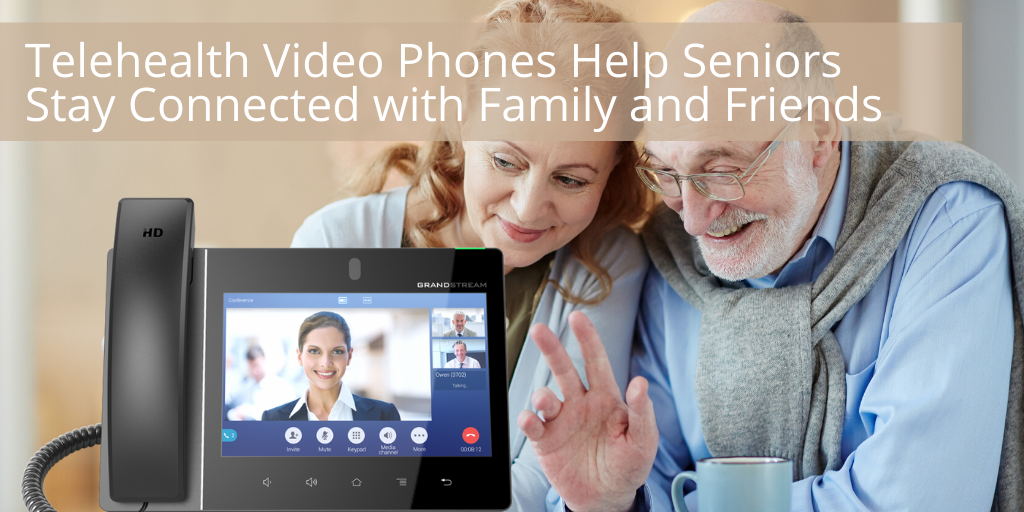
Telecom doctors and telemedicine are important to the healthcare industry. These allow doctors and nurses to provide clinical services to patients via telecommunications and software without an in-person visit. Is your clinic also looking for a VoIP phone solution for performing effective telecom health visits? Read along!
What Are The Best VoIP Phones for Telecom Health Visits?
Our team recommends Grandstream’s video phones! These IP phones come with THE video chat functionality which allows you to not just hear but also see your patients’ needs over the phone. In addition, Grandstream’s IP phones are also Android-enabled! You are able to use the Google apps you and your patients are already familiar with to communicate with each other. Check out the popular options below:
Not sure which video phone is ideal for your clinic? Contact one of our VoIP consultants today at 1-800-398-8647! Our team will be happy to assist you.
Many of our customers have never worked from home before, and for some it can be an overwhelming situation, especially now, with your kids being at home.
We here at VoIP Supply have always had a work from home policy, and we wanted to share some of our favorite tips!
Communication is Key
It’s very important that you keep your colleagues and even your kids in the loop!
Start a group chat with your team and ensure people are checking in. Simple things like letting your team know when you are taking breaks, in meetings, etc. It’s also important to let your family (who might be at home with you) know these things too. Showing them your calendar for the day can be very useful, especially for when you need to make those important calls! on when you will be on important call (my babysitter actually asked me this, so thank you Ariel!).
Stick With Your Daily Routine
Keeping your daily routine as normal as possible will help keep everyone in a better mood. I know it can be difficult, but set that alarm, get up and try to do what you would do if you were going into the office or taking your kids to school.
Set Your Work Hours
When you are working from home, it’s easy to lose track of time and not disconnect from work. Be sure you are setting specific hours and sticking to them. You don’t want to get burned out!
Dedicated Workspace
If you have the space, try to create your own little office space when possible. This will prevent distractions and allow you to focus on what you need to accomplish for the day. If that’s not possible then make sure you have a good pair of noise cancelling headphones.
Stay (distantly!) Social
It is important to have a social life outside work but also stay engaged with your colleagues. Use FaceTime, Google Hangouts and schedule a video lunch hour with your team! Check in with each othereachother and make sure everyone is doing ok!
Get Up and Get Some Fresh Air
Even if the weather isn’t that great, it’s important to get up from your remote office and walk around the house or even get some fresh air in the backyard. It’s easy to forget to get up, so set a timer (or tell your kids to come get you).
Proactive Schedule
Try to set up your day and your kids activities the night before so you are ready to go! So far this has been very helpful, not easy, but helpful. Setting the coffee pot in the morning, getting crafts and school work ready, heck we even made cookie dough the night before so the kids could cut out cookies while we worked!
Are your customers looking for a reliable VoIP system for their remote offices? 3CX and VoIP Supply hosted an informative webinar to explain how users can take advantage of the 3CX remote working features to stay connected and increase productivity. Let’s do a quick recap!
3CX Remote Working Toolbox
During the webinar, Matt from 3CX addressed these remote working tools:
Web Meeting – Turn your customer’s customers laptop into their communications hub
Mobile Apps – Use your extension anywhere
Web client – Share files and images
Instant Messaging – Send text messages, links and more at no additional cost
Click2Talk – Easy external communications for those unable
Presence – Quickly see who’s in the office and who’s elsewhere
Who are the ideal users?
Education – classroom webinars, live chat, instant messaging, etc.
Contact Centers – agent monitoring, quick setup, Click2Talk, etc.
A: Go to your partner portal >Keys > Create a Trial License > From there, you will be able to create any license you want
Q: Does 3CX provide an unlimited number of web meeting participants?
A: It depends on which license you have. The standard license accommodates 25 participants; the professional license offers a capacity of 100 participants per meeting; and the most advanced license providers a capacity of 250 participants per meeting.
Q: Does 3CX provide easy remote control?
A: Yes, the updated Remote Control function was specifically re-designed to be quick and easy to use! Remote control functions include:
Our tech support team at VoIP Supply offers great pre- and post-sales support plus provisioning, consultations, configuration, and installation help. We get a lot of VoIP hardware and software questions and would like to share the solutions with everyone.
Q: I am looking for IP phones that are ideal for remote working. Do you have any suggestions?
A: Here are some recommendations:
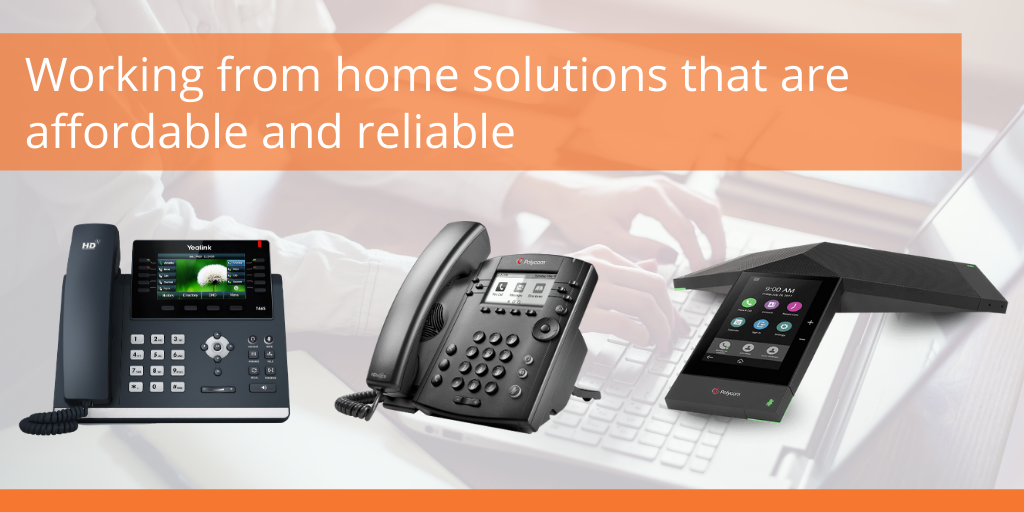
Grandstream’s GRP2612W – this VoIP phone is an affordable and powerful carrier-grade IP Phone featuring WiFi support, 2 lines, and zero-touch provisioning to make mass deployment and management a breeze.
For higher-end options, check out:
Grandstream’s GRP2614 – this VoIP phone comes with a color LCD display, 40 virtual multi-purpose keys, and enterprise-level security.
Grandstream’s GRP2615 – this IP phone is equipped with a 4.3″ color LCD display, WiFi & Bluetooth 5.0 and 16 SIP accounts.
Grandstream’s GRP2616 – this IP phone features 48 virtual multi-purpose keys with the option of adding an extension module.
Grandstream also offers multiple Android VoIP phone options. This will give you access to the apps you normally use directly through your phone!
Come back for more VoIP questions and answers next time! If you have VoIP questions to ask us, please submit a technical support ticket or contact our VoIP experts today at (866) 582-8591
Are your business communications protected? As the number of remote workers increases, so do the cyber attacks. This quarter’s Sangoma reseller webinar, we walked you through the process of protecting your business communications with Sangoma’s Session Border Controllers (SBC).
There are many challenges in modern VoIP environments including the growing security threats, connecting remote workers without headaches of firewalls and VPNs, and more. The solution? Sangoma’s SBC is a device placed at the edge of your VoIP network, which monitors and manages all SIP traffic. Based on the type of traffic, the SBC will intelligently make decisions to block, deny, or reroute the traffic.
With the right tools and equipment set up, distant learning doesn’t have to be difficult or less effective than in-class experience. Our team of VoIP experts are here to help you get what you need and gear up for virtual learning!
Distant Learning Checklist
#1 VoIP Headset
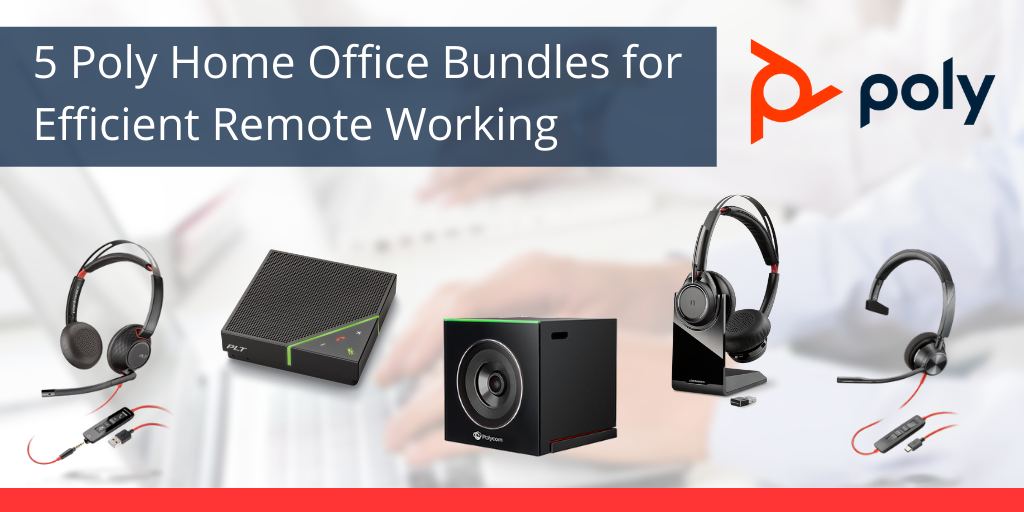
A robust headset is a must for all students and faculty to learn and teach remotely. Noise-canceling, comfortable wearing style, and the quick disconnect design are just some of the useful features you may need while away from your classroom. Check out these popular VoIP headset options for online courses:
Video is a quite effective way of conducting an online class. You will be able to teach and learn more advanced courses through presentation slides or live demonstrations. Therefore, having a high-quality camera set up is also very important! Logitech offers great quality cameras at an affordable price. Check out some popular options:
Don’t want to miss something important during a class? Vidyard can be handy! Vidyard is an online video platform for users to communicate effectively. It’s a very easy way to create and share your videos with students. Plus, it’s free to sign up. Why not give it a try: https://www.vidyard.com/
YouTube is also a great and probably the most popular video platform for recording and sharing videos. You can video and record lessons and share them easily with your students on YouTube. Private video options are also available.
#4 Instant Message & Chat
What if you need someone’s attention right away? Try instant message and chat platforms like Google Hangouts. You can also have the mobile app version to send out messages instantly.
Are you ready for distant learning and online courses? If not yet, you are not alone! Our team is here to help you set up and get ready for remote lessons. Call 1-800-398-8647 to learn more!